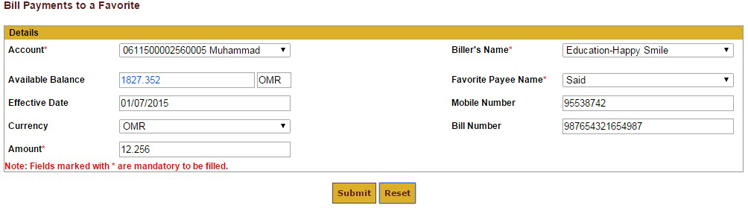
To initiate a Bill Payment, from the Main Menu select Banking -> Bill Payments -> Pay to Favorite.
Step 1: Select the Account.
Step 2: Select the Added Biller Name.
Step 3: Select the Favorite Payee Name.
Step 4: Enter your Mobile Number.
Step 5: Enter the Bill Number.
Step 6: Enter the Amount.
Step 7: Click Submit to proceed.